Friday, 25 November 2011

Update

After uploading the footage and applying certain effects we came to the conclusion that certain clips needed to be improved because they didnt quite fit the video in sequence with the rest of the shots. Two or three of the shots were too dark and grainy and we couldnt make the effects make it look any better so we decided to shoot it again, this time in a lighter room.

  • We have schedualed to film on Saturday the 3rd of December and hopefully capture all the clips we need and maybe more. 

Video faults

These are the two shots we want to re-shoot as our actor didnt play the guitar in a convincing way and we needed him to strum the guitar and not pluck. We did like the shots and the mise en scene but unfortunatly the guitaring isnt convincing enough.


These shots are going to be re-filmed as we believe they are too similar and we need something a bit more interesting and less boring. We were thinking of a different mise en scene as we believe we have very similar mise en scene in each of these shots. The angles also need changing to give the video more of a variety and more of a cutting edge.

Jump Cuts

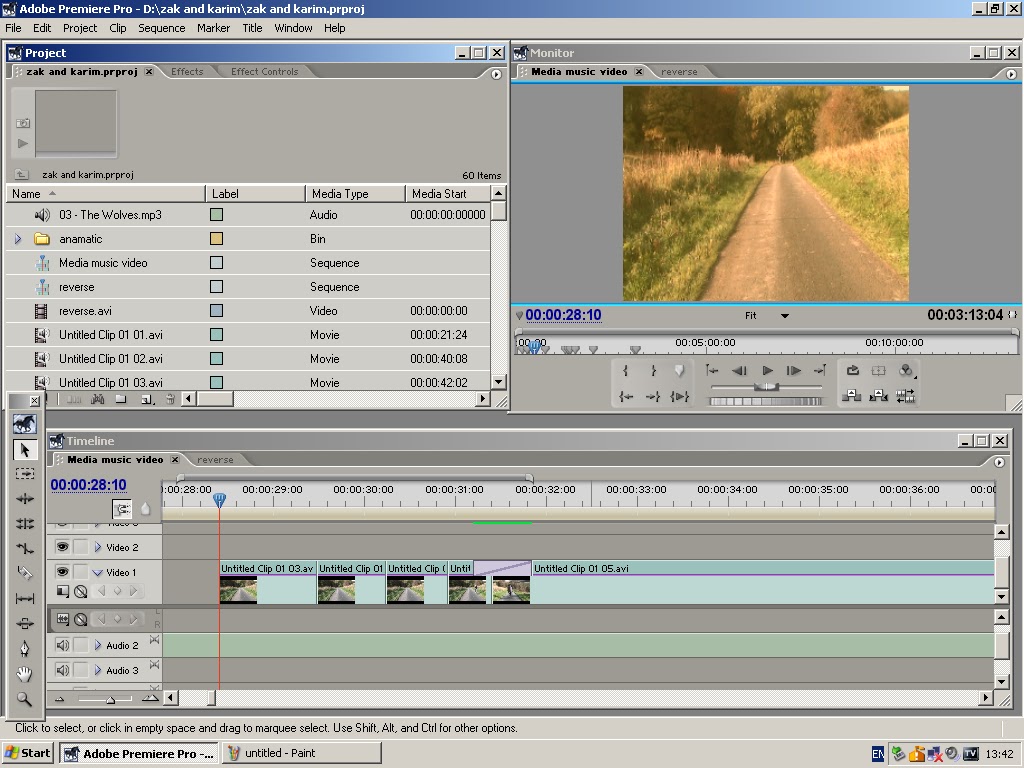
For two sections of our music video we have used jump cuts. The first section is were euan is riding down the hill, without the edits it was a really long shot so we decided to use jump cuts to make it not only shorter but a lot more visually intresting. The first screenshot shows the clips on the timeline and you are able to see where the edits are in the clip. We cut certain bits of the clip out so euan rides so far down the hill then jumps a little further down. We also used jump cuts on another really long shot were we can see the owl in the trees at the top of the hill and the camera then zooms out so we just did the same thing and cut certain bits of the clip out, this is shown in the second screenshot.


Rotating the horizon

On one of the shots we filmed where Euan was running over the hill, the horizon of the hill was tilted and it didnt look right, so using the editing software we were able to tilt the horizon and make it straight. Below are the step by step screenshots of how we tilted the horizon.


1) In this shot we can see the horizon is tilted


2) Here, we clicked on the shot which brings up the box around it which allows you to drag it or make it bigger or smaller.


3) Here we have pulled the shot down slightly, this allows you to hover the mouse above the middle square on the top of the box, this allows you to rotate the shot.

4) Here we have rotated the shot to make the horizon look straight.


5) And here we have pulled the shot back up to fit properly in the screen

Reverse clip

As our music video was meant to be surreal and part of a dream, we decided that at the end of the video just before the main character wakes up from the dream we wanted the whole video to reverse backwards at a fast speed to add more abstract elements to the video. Below are screen shots of the steps we took to acheive the reverse clip.


1) First of all we had to highlight all of the footage on the timeline that we wanted to put in reverse

2) Once we had highlighted all the footage we wanted, we had to put it all on to a seperate sequence


3) Once the footage was in its own seperate sequence we had to export it and then important it again as a seperate video.

4) We then dragegd the video on to the timeline and placed it where we wanted it.
5) To then speed it up and put it in reverse we had to right click on the clip we wanted and select 'speed/duration'


6) Finally, we had to tick the 'reverse speed' box to put it in reverse and change the speed in the top box

Thursday, 24 November 2011

Matrox editing

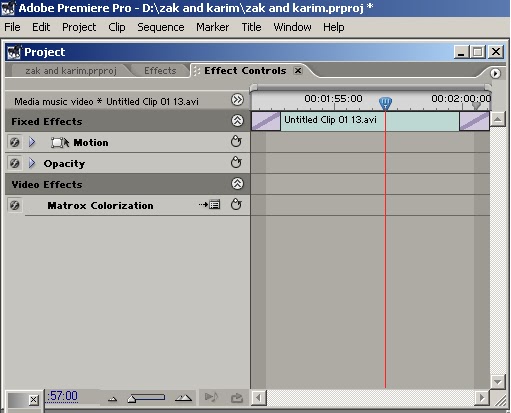
By uploading all the clips and putting dissolves in between we discovered that video needed some more effects to make it look more like a conventional folk music video. We wanted the video to look quite vintage and natural just like a conventional folk video, it also made the iconographic shots and mise en scene look more proffesional and overall gave the video a better quality.


By looking through the matrox colourasation we managed to find a variety of different colour effects for our video, we experimented with a few but found the one that fitted our video and our genre the most and that was the sepia tone. The sepia tone gave the video a warm/natural vintage look in which it makes the video more appealing to our target audience and their genre of music. Before we uploaded the colour effects the video looked a bit un proffesional, boring, plain and grainy so having the oppurtunity to improve our video with these effects really helped us out.


Wednesday, 23 November 2011

Transitions

After uploading all our film on to the computer we decided to experiment with the editing software and see what suited our film best and would help us achieve a conventional folk music video.

This is a screen shot of the transitions we thought worked best for our film and fitted well within the video and the conventions. Cross dissolves allow the film to flow nicely and allow the clips to link well together giving a relaxing and smooth feeling just like the genre conventions. We didnt want abrubt and sharp editing as it wouldnt have flown as well as a cross dissolve.